
01
Review the case
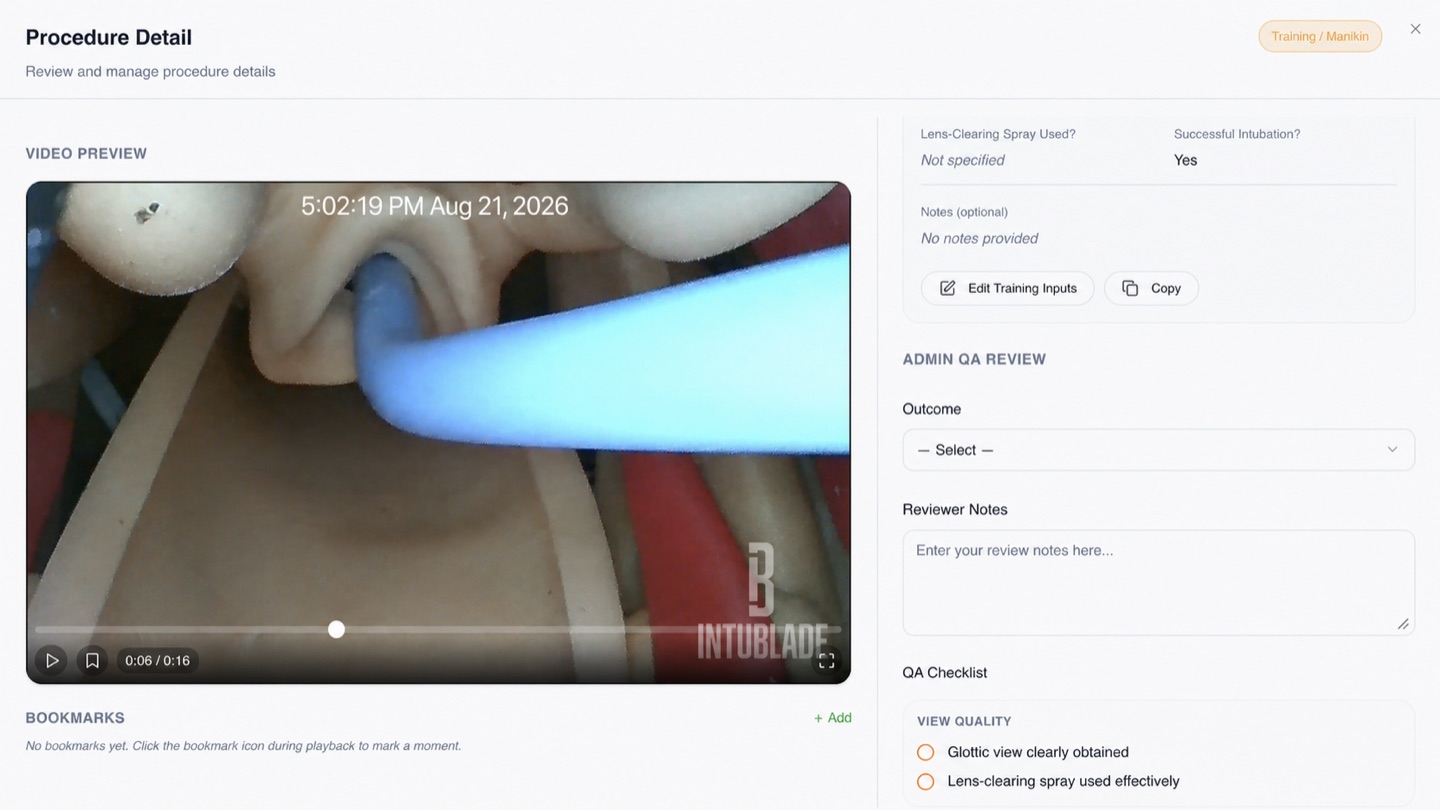
Authorized reviewers can open the procedure record beside the media and document the review in context.
- Outcome selection
- Reviewer notes
- Structured QA checklist
Airway case review
The IntuBlade Admin Portal brings procedure media, case details, reviewer inputs, and department metrics into one QA/QI workflow for authorized users.
01
Authorized reviewers can open the procedure record beside the media and document the review in context.
02
The review workflow supports flags, saved review state, and downloads where organization policy allows them.
03
Department dashboards can show procedure volume, review completion, successful intubation, first-pass performance, flagged cases, and trends over time.
The portal is designed to associate procedure media with the case record. Public screenshots on this site are sanitized training records or illustrative internal test data.
Yes. The case-review screen includes outcome selection, reviewer notes, and a structured QA checklist.
Use the Security, Privacy, DPA, and HIPAA resources to review safeguards, roles, data handling, and BAA eligibility for your organization.